
Beta used at Monark IT
Today: folder, analysis, and report
The team provides a Drive link and a job description. Pepit analyzes and ranks CVs, then prepares a report to support screening and interviews.
Pepit - Beta used at Monark IT
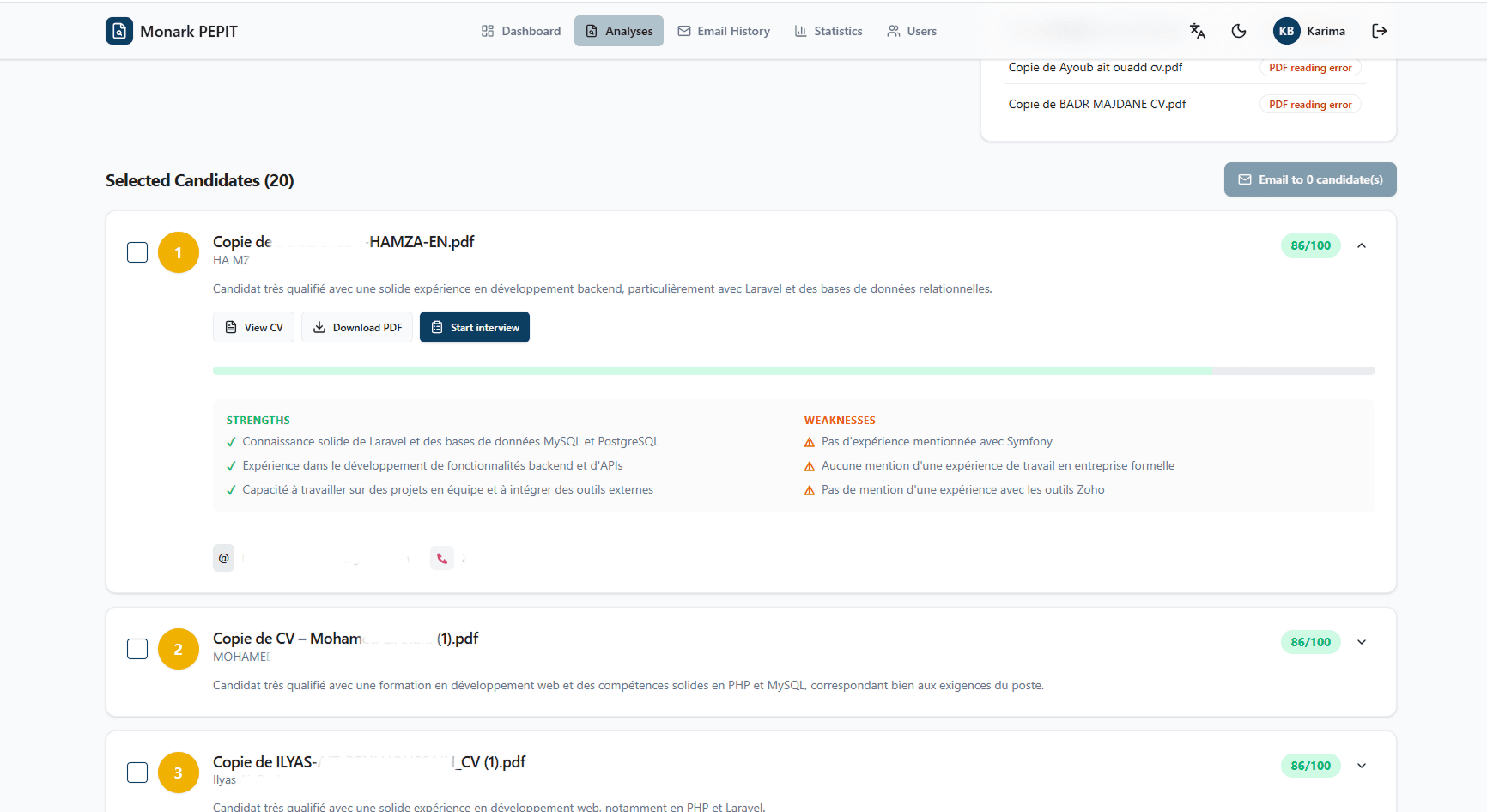
You gather CVs in a Drive folder. Pepit analyses them against the job description and prepares a ranking, points to review and interview questions.
Where it starts
LinkedIn, social networks, email, or in person: the team currently brings CVs together in a Drive folder before comparing them.
Applications received through different channels are gathered in Drive so the team can find them in one place.
The current hiring need sets the context. The same group of CVs can be reused when another role opens.
The ranking helps guide the review. The recruiter checks the report and keeps the decision.
In the beta
The folder link and job description provide the context. Pepit prepares the analyses and ranking; the team reviews the reports before speaking with candidates.
The team brings applications together in a Google Drive folder and pairs its link with the job description.
Pepit reviews CV details against the role: relevant experience, skills, and career history.
The ranking considers related skills. For a PHP/Symfony role, Laravel experience can be treated as related and reviewed without automatically excluding the profile.
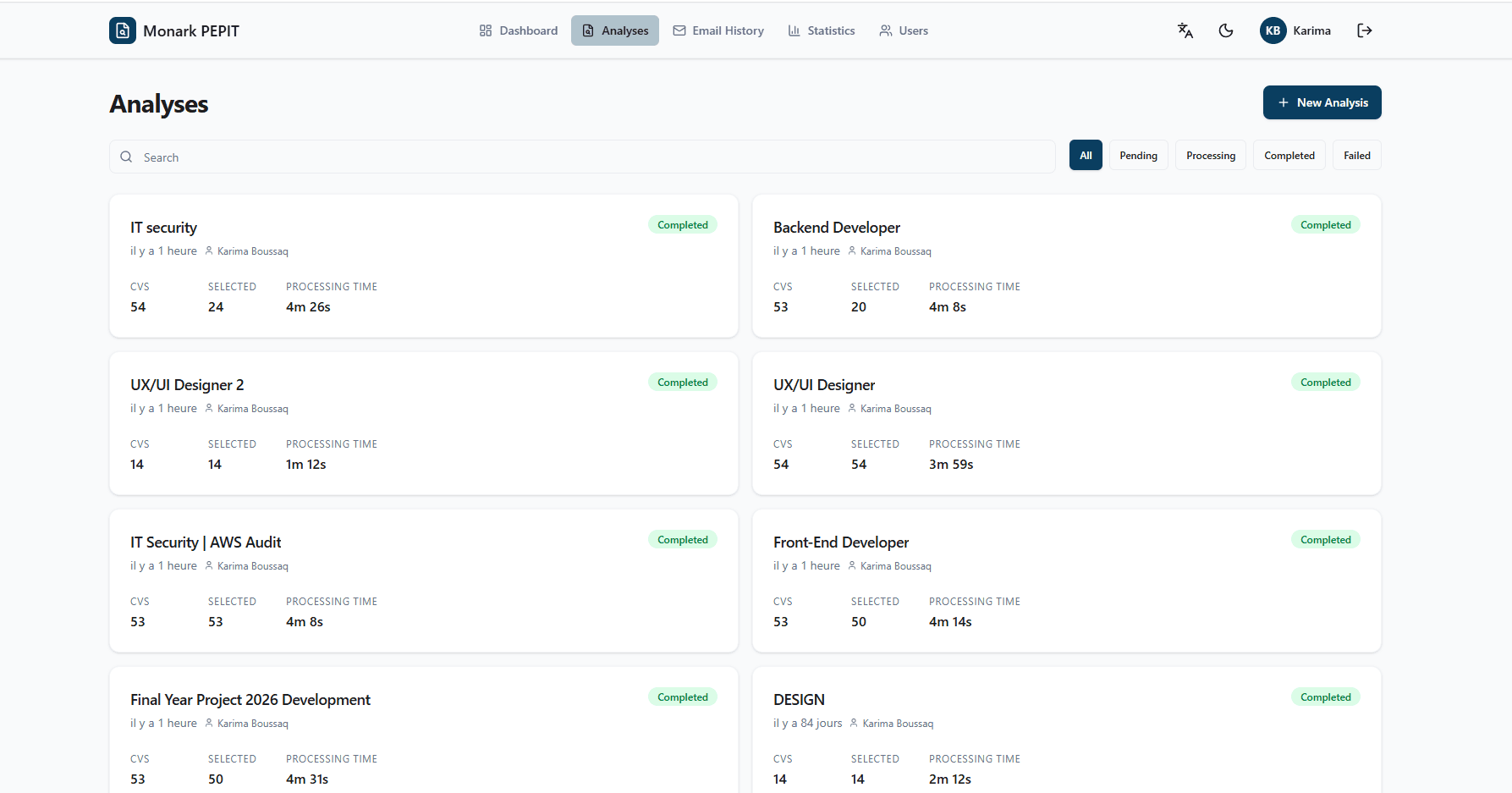
The report presents strengths, reservations, and questions to ask. The recruiter uses it to prepare and check relevant points during the interview.
When the role changes
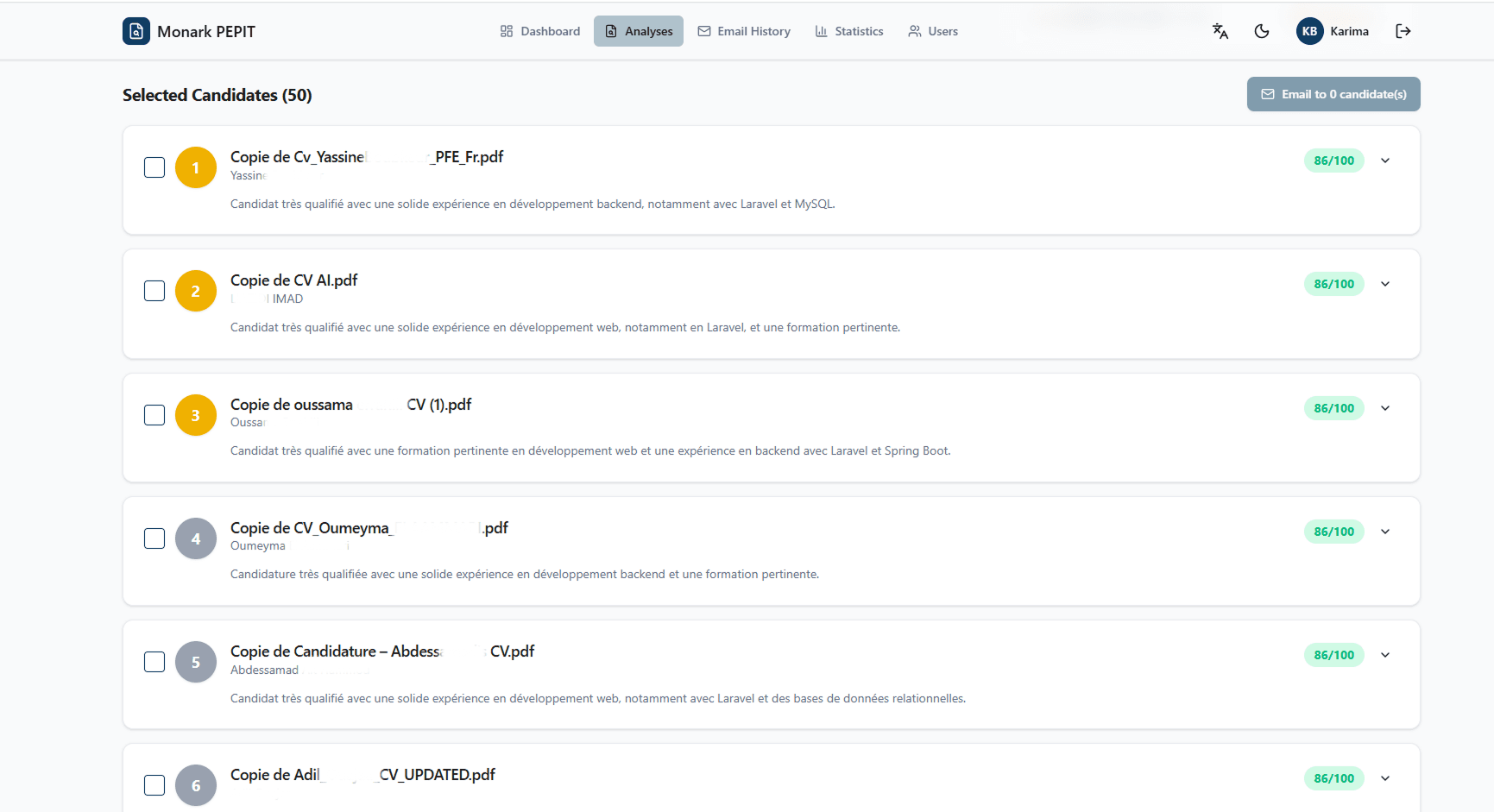
Keep your CV folder. Pepit analyses it against the new job description and prepares a ranking for that role.
Planned Evolution
Monark IT uses the beta while recruiting interns. Wider coverage of recruitment channels and tools remains a product vision, not an integration available today.
Beta used at Monark IT
The team provides a Drive link and a job description. Pepit analyzes and ranks CVs, then prepares a report to support screening and interviews.
Planned Evolution
The product vision is to explore collecting applications from more channels, including email and social networks, and agents that could help with some recruitment steps.
Email, social network intake, and proactive agents are not available in the current beta.
The team makes the decision.Scores and reports guide the review. The recruiter checks the details, interviews candidates, and decides what to do next.
Practical questions
For the beta, the team gathers applications in a Google Drive folder and shares its link with the job description. Applications may have arrived through LinkedIn, social networks, email, or in person. Pepit does not connect to these channels automatically.
Yes. The same folder link can be used with a new job description so the applications can be reviewed for that need.
The analysis considers transferable skills. For example, for a PHP/Symfony role, Laravel experience may be considered related. The profile is not automatically excluded based on that difference alone; the team reviews the report.
It includes a profile summary, strengths, reservations, and questions to help prepare for an interview. It helps the team organize its review and prepare the conversation.
No. The beta analyzes CVs provided through the Drive folder and prepares reports. The team handles communication with candidates.
No. Multi-channel intake is part of the product vision. The current beta uses a Drive folder link.
No. Pepit provides a ranking and details to review. The recruiter checks profiles, interviews candidates, and decides what to do next.
We can walk you through today's process, from the Drive folder to the report and interview questions, then discuss your recruitment needs.