
Projects & phases
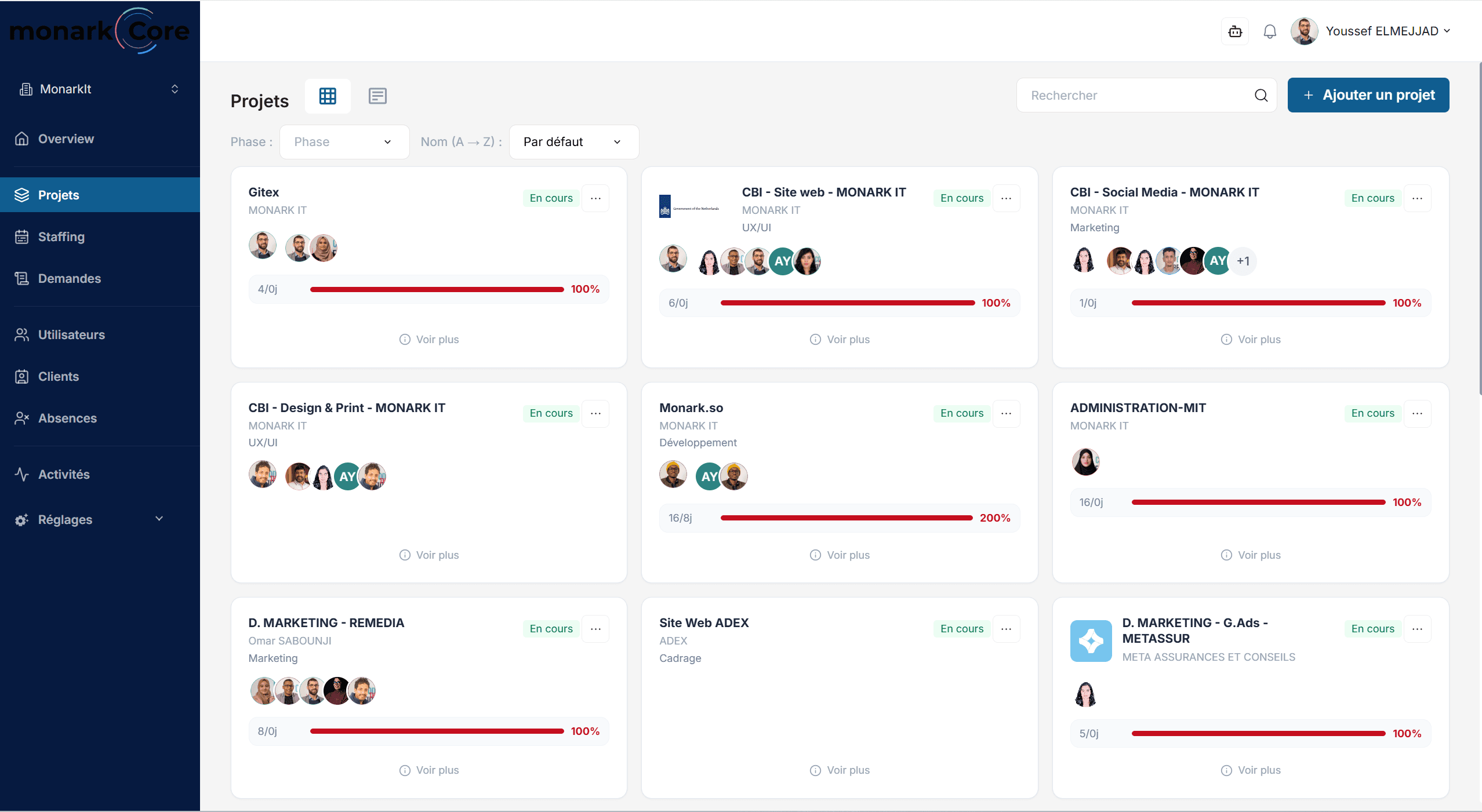
Clear portfolio with RACI teams, status, phase, client, and complete context.
Centralize projects, teams, staffing, resources, and budgets in one Project Portfolio Management Software platform, then explore your data in natural language with an AI assistant connected to your operations.
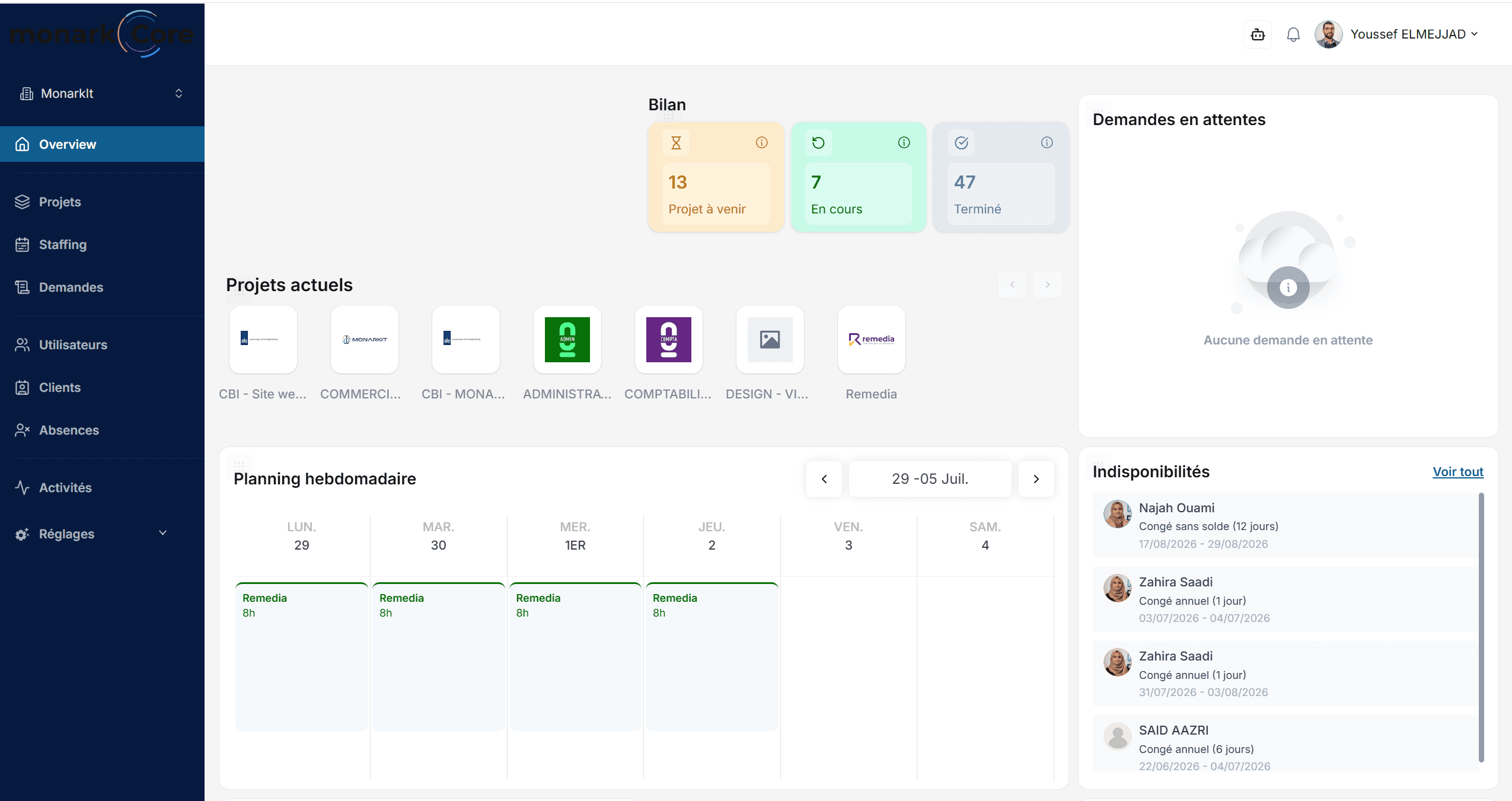
Monark Core is used daily in production at Monark IT. This is not an isolated demo: it is an operating system.
Observation
Project Portfolio Management becomes harder as projects, teams, budgets, and decisions multiply. Core keeps everything in one place, creating a single source of operational truth shared across the organization.
This sequence replaces a feature list with a product narrative: business question, documented analysis, tracked decision.
The visitor sees a real business question, not technical navigation. This is the natural entry point for a decision-maker.
The assistant displays the sources consulted: active projects, budget entries, and Project Memory history. The reasoning becomes visible and verifiable.
The answer does not just stay in the chat. It becomes a dated, categorized note that can be retrieved by the assistant or the team when the topic comes up again.
AI Assistant
It doesn't answer like a generic chatbot. It calls the right business tools, respects permissions by role, and displays the sources of each answer.
Which projects require budget attention this month?
Three projects exceed the planned consumption rate: Atlas (+12%), Nautilus (+8%), and Orion (+5%). The assistant suggests consulting the latest Project Memory decisions for each project.
Modules
Core brings project and resource management software capabilities into one operational workspace.
Clear portfolio with RACI teams, status, phase, client, and complete context.
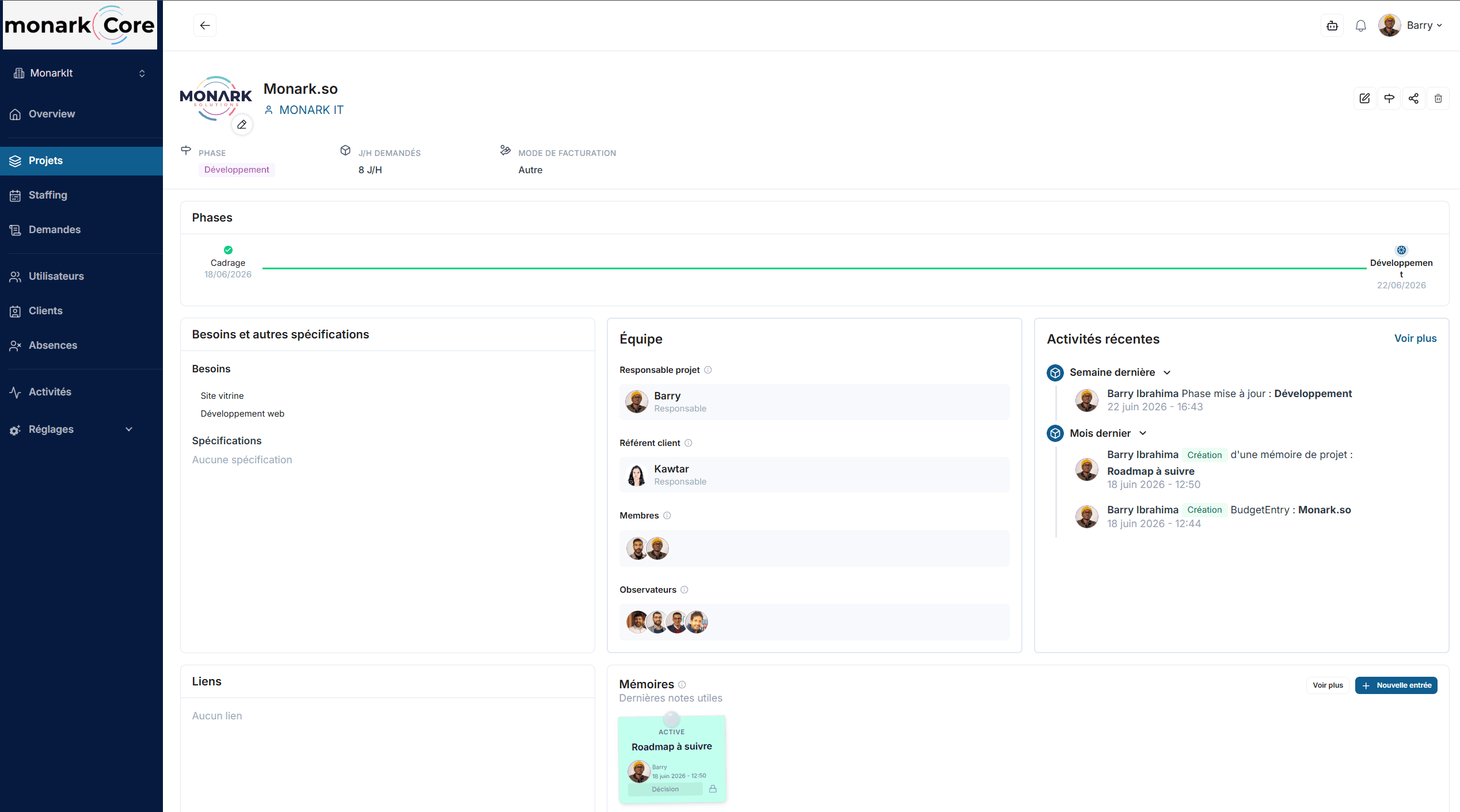
A built-in RACI project management tool structures project managers, client contacts, members and observers for each project.
To go further, see how a RACI project management tool helps teams clarify responsibilities across projects.
Allocated budget, consumed staffing, variances detected in real-time..
For a deeper look, discover how project and resource management software supports capacity planning across teams and projects."
Decisions, risks, and technical notes preserved and searchable.
Requests, approvals, balances, and holidays integrated into staffing.
Tracking activities per project to feed the man-days budget.
Isolation by entity, country, subsidiary, or strategic client. Each space has its own data and permissions.
Granular ABAC permissions. The assistant respects each role's rights and only sees authorized data.
Synthesized view per workspace: indicators, weak signals, alerts, and trends.
Every action, change, and decision is timestamped and linked to its author. Full audit trail.
Project Memory
Decisions, risks, and trade-offs remain dated, categorized, and searchable. The assistant can leverage them in its answers, even months after they were created.
Deployment
Start with the Core Project Management Software foundation, including the main modules and a light setup. Ideal for getting started quickly with the essentials.
If you are comparing solutions, discover how to choose project management software for an SME based on the features that really matter
Adaptation of workflows, roles, dashboards, screens, and data according to your organization. Data migration and training included.
For advanced needs, Core can evolve into IT Project Management Software with specific modules, external integrations, complex data migrations, and complete operational coaching..
See why IT project management software can be a practical alternative to Excel as projects, teams and reporting needs grow.
Monark Core is not frozen software. Fields, statuses, workflows, roles, dashboards, and modules can be adjusted to fit your internal operations.
Created by Monark IT
Monark IT develops web, mobile, and SaaS platforms, integrates CRMs/ERPs, automates processes, and deploys AI assistants. Core is first used internally to structure Monark IT's management, then offered as a product to service companies.
Roadmap
Monark Core follows a roadmap fueled by field feedback and needs identified by client teams.
Task management
Advanced project management
Client portal with simplified project views
Mobile application
AI agents per module or per action
Slack, GitHub, Jira, Notion, Sage, Zoho integrations
These key points provide an immediate look at operational management: portfolio, budget, staffing, and roles.
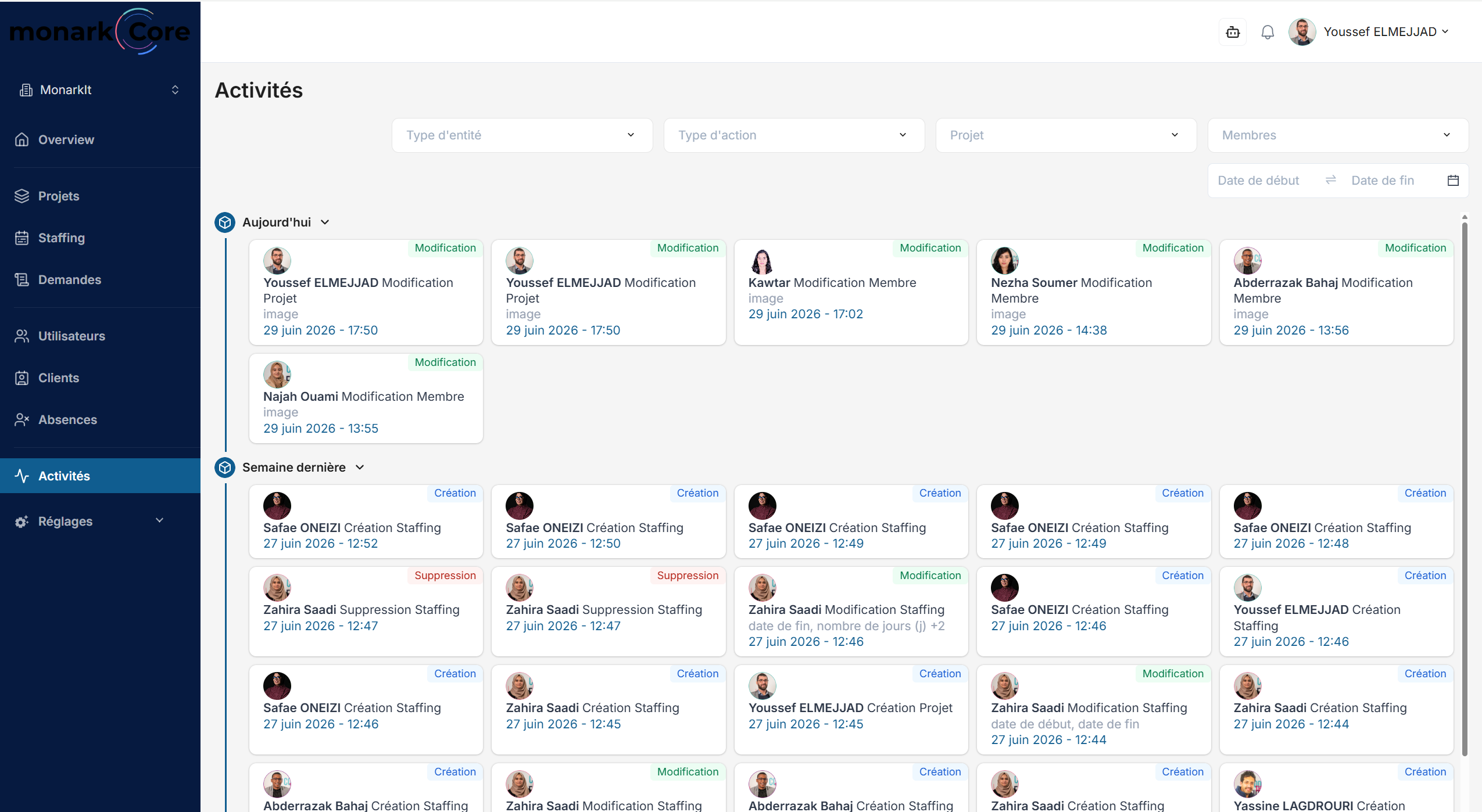
Track project phases, RACI roles, budgets, workload, and complete project context.
FAQ
Traditional Project Management Software often focuses mainly on tasks. Core also brings together portfolios, resources, staffing, budgets, roles, and project history.
Project Portfolio Management gives managers a consolidated view of multiple projects, their status, teams, budgets, and operational context from one workspace.
Yes. Core combines project information with staffing, availability, activity, and budget data, providing Project and Resource Management Software capabilities in one platform.
The built-in RACI Project Management Tool structures responsibilities for each project and clarifies the roles of the people involved.
Yes. Fields, statuses, workflows, roles, dashboards, and modules can be configured or extended to reflect the way your organization operates.
Yes. For advanced deployments, Core can provide IT Project Management Software capabilities with custom modules, integrations, and complex data migration.
Yes. Core connects man-day budgets, staffing, activity, and resource availability so teams can identify capacity or budget issues earlier.
Core can centralize information commonly spread across spreadsheets, including projects, staffing, budgets, roles, and decisions, while keeping a structured and traceable history.
The demonstration can start from a concrete case: budget, staffing, availability, or project memory. Twenty minutes are enough to see if Core fits your context.